Skip to content
Kaupenjoe's Blog
  • Minecraft Forge 1.16.5
Kaupenjoe's Blog
  • Forge JSONS EXPLAINED Minecraft Modding
    Minecraft Forge 1.16.5

    Forge JSONS EXPLAINED Minecraft Modding

    ByKaupenjoe 1. May 20265. May 2026

    Let’s go into a bit more detail how the JSON files in your asset folders are constituted. The first thing we’ll take a look at is the ResourceLocation class. The ResourceLocation Class As you can see in the example code above, a ResourceLocation is made of two parts: our Mod Id (which the ResourceLocation calls…
    Read More Forge JSONS EXPLAINED Minecraft ModdingContinue

  • Forge 1.16.5 Custom Blocks
    Minecraft Forge 1.16.5

    Adding CUSTOM BLOCK to Minecraft 1.16.5 with Forge

    ByKaupenjoe 1. May 20265. May 2026

    To add a new custom Block to Minecraft we have to add a few more things compared to adding an Item. But it’s still not too complicated, even for Beginners. Let’s Start! Making the ModBlocks Class Firstly we want to create a new package in tutorialmod called block and add a new Class to it…

    Read More Adding CUSTOM BLOCK to Minecraft 1.16.5 with ForgeContinue

  • Minecraft Modding 1.16.5 Creative Tab
    Minecraft Forge 1.16.5

    Adding a new Creative Tab in Minecraft 1.16.5 with Forge

    ByKaupenjoe 1. May 20265. May 2026

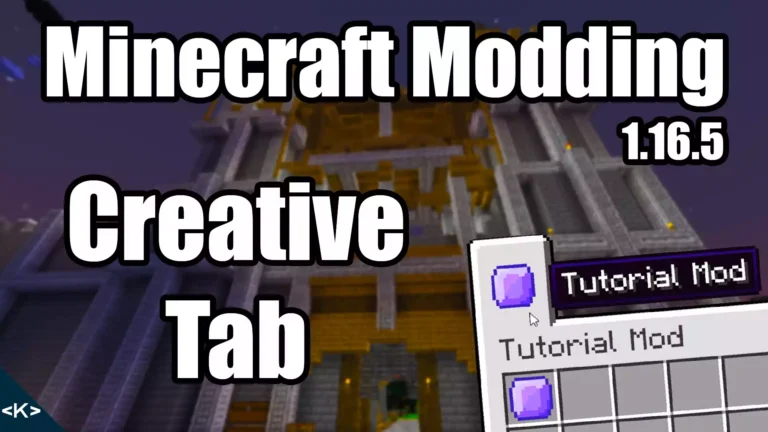
    A new creative tab is very easy to add into our Mod. To do this, we simply need to make one more class and one little change. The new class is going to be called ModItemGroup and will hold static ItemGroup variables that will be our custom creative tabs. ItemGroup is the technical term for…

    Read More Adding a new Creative Tab in Minecraft 1.16.5 with ForgeContinue

  • Custom Items Minecraft Modding 1.16.5
    Minecraft Forge 1.16.5

    Adding a Custom Item in Minecraft 1.16.5 with Forge

    ByKaupenjoe 1. May 20265. May 2026

    To add a custom item in Minecraft you actually don’t need that many things. One JSON file, one texture file and some code in a new class. Optionally you can also choose to create a new class for the item, but you only need to do this for special items which might have additional functionality….

    Read More Adding a Custom Item in Minecraft 1.16.5 with ForgeContinue

  • ADVANCED ITEMS in Minecraft 1.16.5 with Forge
    Minecraft Forge 1.16.5

    ADVANCED ITEMS in Minecraft 1.16.5 with Forge

    ByKaupenjoe 1. May 20261. May 2026

    When it comes to making Advanced Items, the first thing you’ll need is a good idea what it is supposed to do. We’re going to take a look at one example of an advanced item in Minecraft. It is more complex and require more code than just adding a custom item without any additional functionality….

    Read More ADVANCED ITEMS in Minecraft 1.16.5 with ForgeContinue

  • Add CUSTOM RECIPES to Minecraft 1.16.5 with Forge
    Minecraft Forge 1.16.5

    Add CUSTOM RECIPES to Minecraft 1.16.5 with Forge

    ByKaupenjoe 1. May 20265. May 2026

    Adding your own custom recipes to Minecraft is once again a fairly easy feat. It simply requires us to make another JSON file and that’s what we’re gonna do next! The JSON file for custom recipes Firstly, the JSON file is located in the recipes folder under data > tutorialmod > recipes which we have…

    Read More Add CUSTOM RECIPES to Minecraft 1.16.5 with ForgeContinue

  • Minecraft Modding Folder Structure Explained
    Minecraft Forge 1.16.5

    Minecraft Modding Folder Structure Explained

    ByKaupenjoe 1. May 20265. May 2026

    The folder structure for Minecraft Modding is essential for Forge. If anything is misspelled or misplaced this might result in textures not displaying properly or loot tables and recipes not being recognized. That is why it is crucial to get the folder structure right and this is what I will explain with this post. There…

    Read More Minecraft Modding Folder Structure ExplainedContinue

  • ADVANCED BLOCKS in Minecraft 1.16.5 with Forge
    Minecraft Forge 1.16.5

    ADVANCED BLOCKS in Minecraft 1.16.5 with Forge

    ByKaupenjoe 1. May 20265. May 2026

    Making advanced blocks is very similar to adding advanced items. You will need to extend the Block class from Minecraft and override certain methods to achieve particular functionality. The Idea In this case, we’re going to make a much simpler “advanced” Block, but in addition to our simple functionality, I will show you the two…

    Read More ADVANCED BLOCKS in Minecraft 1.16.5 with ForgeContinue

  • Minecraft Modding 1.16.5 Setup
    Minecraft Forge 1.16.5

    How to Start Minecraft Modding in 1.16.5 with Forge (STEP BY STEP)

    ByKaupenjoe 1. May 20265. May 2026

    Modding Minecraft can be a lot of things: Your new hobby, a side-hustle or if you’re talented maybe even the start of a new business. Starting with Minecraft Modding can be a daunting task, but not with this STEP-BY-STEP introduction on how to start Modding Minecraft! What you need You should be able to install…

    Read More How to Start Minecraft Modding in 1.16.5 with Forge (STEP BY STEP)Continue

Kaupenjoe logo Kaupenjoe

#1 Modding Tutorials & Courses. Learn NeoForge, Fabric, and Forge step by step! Beginner friendly.

Courses

  • NeoForge 1.21.1
  • Fabric 1.21.1
  • Forge 1.20.X
  • Fabric 1.20.X
  • All Courses

Account

  • Log In
  • Sign Up

Connect

  • Modding YT
  • Entertainment YT
  • Discord
  • Twitter / X
  • Instagram

Legal

  • Impressum
  • Terms
  • Privacy Policy

© 2026 Kaupenjoe. All rights reserved.

Powered by Wordpress

Manage Consent
To provide the best experiences, we use technologies like cookies to store and/or access device information. Consenting to these technologies will allow us to process data such as browsing behavior or unique IDs on this site. Not consenting or withdrawing consent, may adversely affect certain features and functions.
Functional Always active
The technical storage or access is strictly necessary for the legitimate purpose of enabling the use of a specific service explicitly requested by the subscriber or user, or for the sole purpose of carrying out the transmission of a communication over an electronic communications network.
Preferences
The technical storage or access is necessary for the legitimate purpose of storing preferences that are not requested by the subscriber or user.
Statistics
The technical storage or access that is used exclusively for statistical purposes. The technical storage or access that is used exclusively for anonymous statistical purposes. Without a subpoena, voluntary compliance on the part of your Internet Service Provider, or additional records from a third party, information stored or retrieved for this purpose alone cannot usually be used to identify you.
Marketing
The technical storage or access is required to create user profiles to send advertising, or to track the user on a website or across several websites for similar marketing purposes.
  • Manage options
  • Manage services
  • Manage {vendor_count} vendors
  • Read more about these purposes
View preferences
  • {title}
  • {title}
  • {title}
  • Minecraft Forge 1.16.5